Instantly Add Depth and Impact with This 3D PSD Text Style
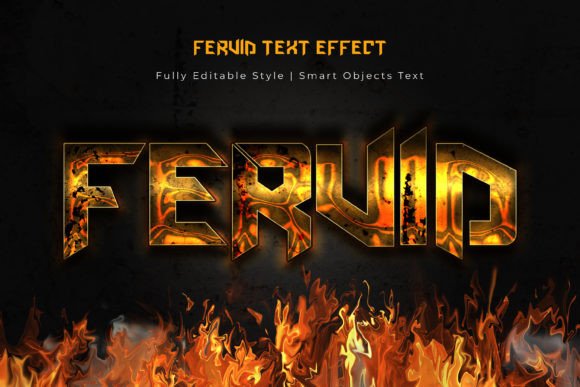
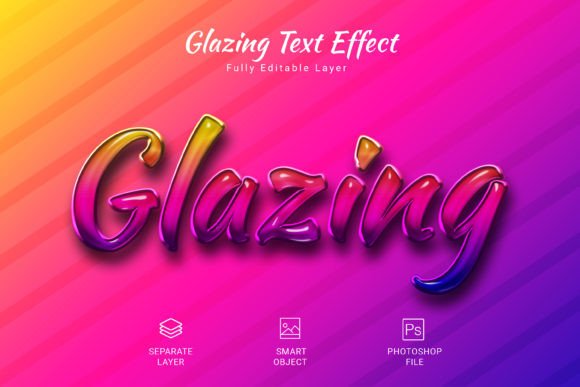
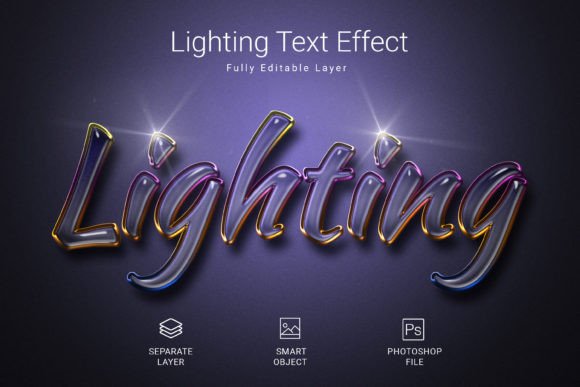
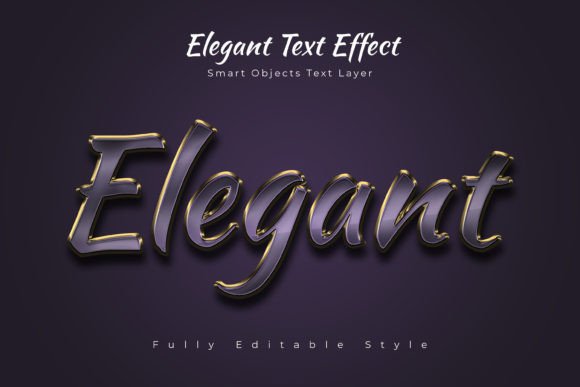
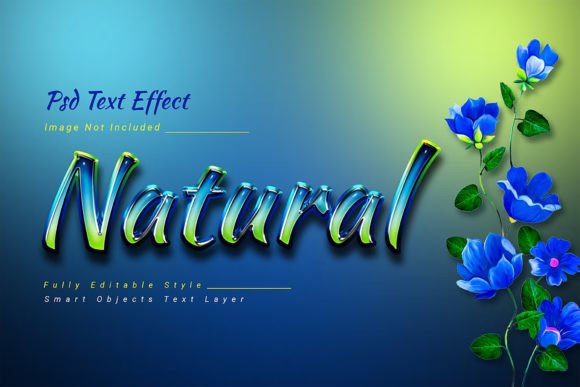
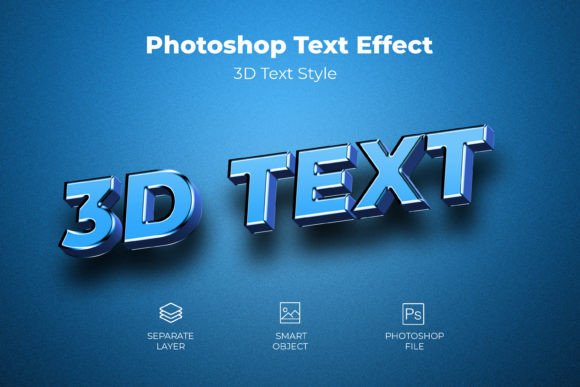
There’s a specific kind of visual punch that stops a scrolling thumb. It’s the text that seems to leap off the screen, casting a shadow or catching a light that makes it feel tangible. Achieving this polished, professional look used to mean wrestling with complex software for hours. Now, there’s a smarter way. This 3D Psd Text Style Effect Mockup provides a rapid and reliable method to apply a high-caliber, dimensional effect to your typography, shapes, or vector logos. It’s about working smarter, not harder, to get visuals that command attention.
Why Dimensional Text Captures Attention
Flat design has its place, but when you need to make a statement, depth is your best friend. A well-executed 3D effect does more than just look cool; it creates a visual hierarchy. It tells the viewer, “Look here first.” This particular style adds a sense of weight and solidity, making your message feel more substantial and important. Whether it’s for a hero section on a website, a bold title on a social media graphic, or the main text on an event poster, this added dimension can be the difference between being glanced at and being remembered.
The true appeal lies in its versatility. This isn’t a one-trick pony. The effect can adapt to various brand personalities. Use a sleek, metallic finish for a tech startup’s logo or a soft, rounded shadow for a children’s brand. The underlying structure is built for customization, ensuring the final result aligns perfectly with your project’s mood and goals. It’s a tool for visual storytelling, helping to convey sophistication, energy, or reliability through simple typographic choices.
Practical Applications Across Your Projects
Think about the last time a piece of marketing material genuinely impressed you. Chances are, the typography played a key role. This 3D text effect is a versatile asset for numerous creative and commercial applications.
- Brand Identity & Logo Design: Create a memorable wordmark or logotype that stands out in a crowded market. A 3D effect can become a core part of your visual identity, used consistently across all materials.
- Packaging & Merchandise: Make product names pop on labels, boxes, or apparel designs. Dimensional text can convey premium quality and craftsmanship, influencing purchasing decisions at the shelf.
- Digital Marketing: Design scroll-stopping social media graphics for Instagram, Facebook, or Pinterest. Use it for email newsletter headers, YouTube thumbnails, or website banners to increase click-through rates.
- Editorial & Print: Elevate magazine covers, book titles, event posters, or wedding invitations. It adds a tactile, high-end feel to printed materials that flat text cannot achieve.
- Content Creation: Bloggers and content creators can use it for featured images, podcast cover art, or digital product mockups to establish a professional and cohesive aesthetic.
The key is consistency. Using this effect on your primary headlines across different platforms helps build instant brand recognition. Your audience will start to associate that specific style with your content, strengthening your overall visual communication.
Getting the Most from Your Design Asset
Having a powerful tool is one thing; using it effectively is another. Here’s how to integrate this mockup into your workflow for maximum impact.
Start with Strong Typography. The effect enhances your text; it doesn’t fix a poorly chosen font. Select a typeface with a personality that matches your message. A bold, geometric sans-serif font will yield a different result than an elegant script. Review the included font styles in the package and test a few options before committing.
Prioritize Readability. While the 3D effect is striking, legibility is non-negotiable. Ensure your chosen text remains clear at various sizes. Test it at small dimensions to confirm the details don’t get muddy. The best designs balance flair with function.
Match the Effect to the Context. Consider the application. A heavy, dramatic shadow might be perfect for a poster but could overwhelm a business card. The high-resolution (3000×2000 pixel, 300 DPI) PSD file gives you the flexibility to scale and adjust the effect’s intensity for different projects, from large-format prints to digital screens.
Streamline Your Process with Smart Objects. This is where the mockup truly shines. The workflow is designed for efficiency. Simply locate the designated smart object layer in the PSD file, double-click to open it, place your own text or logo, save, and watch the 3D effect apply automatically. This saves an incredible amount of time, especially when creating multiple variations for client presentations or A/B testing.
Building a Cohesive Visual System
Great design isn’t about isolated elements; it’s about how they work together. This 3D text effect is a component in your larger design toolkit. To build a cohesive brand or project aesthetic, consider how it pairs with other elements.
Think about font pairing. If you apply the 3D effect to your main headline font, choose a complementary, simpler font for body text. A clean sans-serif or a classic serif font can provide balance and ensure readability in longer paragraphs. This contrast guides the viewer’s eye smoothly through your layout.
Color is another critical factor. The RGB color mode of the PSD file makes it perfect for digital work. Experiment with colors that reinforce your brand palette. A vibrant gradient within the 3D text can convey energy, while a monochromatic scheme using shades of your primary brand color can look sophisticated and unified.
Remember, the goal is professional presentation. Whether you’re a small business owner designing your own marketing materials or a freelancer creating assets for a client, using a premium design resource like this elevates the perceived value of the work. It signals care and attention to detail, which builds trust with your audience.
Ultimately, this tool is about giving you the power to execute high-quality design ideas quickly. It removes technical barriers, allowing you to focus on the creative and strategic aspects of your project. By applying this effect thoughtfully, you can enhance visual consistency, boost brand recognition, and create engaging visuals that resonate with your audience and help you achieve your communication goals.