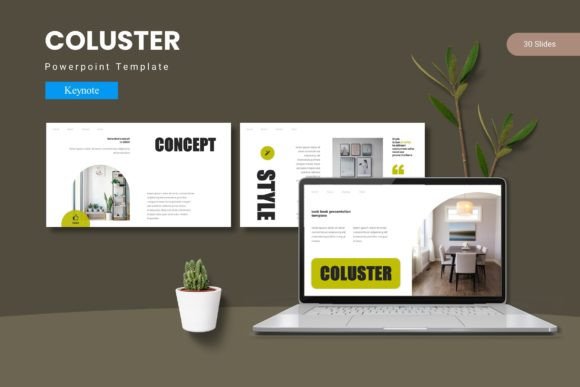
Coluster - Keynote Template: Crafting Cohesive, Polished Presentations
Every slide in a presentation is a silent ambassador for your brand. Whether you're pitching to investors, onboarding new clients, or sharing a quarterly update, the visual consistency of your deck speaks volumes about your professionalism before you even utter a word. The Coluster - Keynote Template is designed to be the backbone of that visual story, offering a structured yet flexible framework that transforms scattered ideas into a unified narrative. It’s not just about having pretty slides; it’s about creating an environment where your content can shine without visual distractions.
The Anatomy of a Visually Engaging Deck
What makes the Coluster template stand out in a sea of generic slide decks? It starts with the foundation: over 150 total slides built on master slides. This master slide architecture is crucial because it ensures that every element—from title placements to body text alignment—remains pixel-perfect across your entire presentation. You’re not just getting a collection of isolated designs; you’re getting a system. The template includes five premade color schemes, each with 30 unique slides, giving you a robust starting point that can be adapted to virtually any brand palette. This level of built-in variety prevents the monotony that can cause an audience to disengage, while the cohesive design language keeps everything feeling intentional.
The handcrafted infographics and pixel-perfect illustrations are particularly valuable for anyone who needs to communicate complex data or concepts quickly. Instead of spending hours building a chart from scratch, you can drag and drop your information into a pre-designed visual that’s both clear and aesthetically aligned with the rest of your deck. The picture placeholders further streamline the workflow, allowing you to swap in your own images seamlessly. This focus on editable, resizable graphics means the template grows with your needs—whether you’re creating a minimalist investor deck or a vibrant product launch presentation.
Practical Applications Beyond the Boardroom
While presentations are the obvious use case, the principles and assets within the Coluster - Keynote Template have broader applications for visual communication. Consider the needs of a small business owner or a creative entrepreneur. The consistent color schemes and structured layouts can inform the design of other brand touchpoints. For instance, the color palettes provided can be sampled and used to guide the development of your logo design, ensuring your brand identity starts with a harmonious foundation. The clean, modern typography and balanced white space evident in the slides can inspire the layout of your website or blog, promoting better readability and a more professional appearance.
For those involved in packaging design or creating social media graphics, the template’s section break slides and gallery layouts offer inspiration for organizing visual information. A section break slide’s bold, focused design could translate into a striking Instagram carousel cover or a hero image for a new product page. The emphasis on visual consistency is a direct lesson in brand recognition. When your presentation, your social feed, and your print materials all share a common visual thread—perhaps a specific accent color or a recurring graphic style—you build a memorable brand identity that audiences begin to recognize instantly.
Streamlining Your Workflow and Elevating Professionalism
One of the most significant, yet often overlooked, benefits of using a template like Coluster is the impact on your workflow and the resulting professional presentation. Starting from a blank canvas can be paralyzing and time-consuming. A well-structured template acts as a creative catalyst, providing guardrails that keep your design on track while freeing you to focus on your core message. The included font styles and color schemes are curated to work together, eliminating the guesswork of font pairing and color theory for those who aren’t design specialists.
This built-in visual consistency is a powerful tool for audience engagement. When slides transition smoothly from one to the next, with consistent margins, type hierarchies, and graphic styles, the audience can focus entirely on your content rather than adjusting to a new visual layout every few minutes. It creates a seamless, professional experience that builds credibility. For marketers and content creators, this means your key messages—whether about a new service, a community initiative, or a creative project—are received without the noise of inconsistent design.
Tips for Making the Template Your Own
To get the most out of the Coluster - Keynote Template, approach it as a starting point for your brand identity, not a rigid cage. Here are a few practical steps:
- Customize with Purpose: Use the five color variations as a launchpad. If your brand uses a specific shade of blue, use the template’s color scheme closest to it as a base, then adjust the master slides to incorporate your exact hex codes. This ensures your presentation feels uniquely yours while retaining the template’s structural integrity.
- Leverage the Infographics: Don’t just fill in the blanks. Ask yourself what story the data is telling. The handcrafted infographics are designed to highlight relationships and processes. Use them to simplify complex information for your audience, whether you’re explaining a business model or a creative process.
- Test for Readability: While the template includes suggested font styles, always test your final text for readability on the actual device you’ll be presenting on. What looks clear on your laptop screen might be too small when projected. Ensure your body text is large enough and has sufficient contrast against the background.
- Think Beyond the Slides: The design assets within the folder—like the illustrations and graphic elements—can be exported and used in other projects. A well-designed icon set from your presentation can be repurposed for a print material handout or a digital report, further unifying your brand’s visual language.
Ultimately, the Coluster - Keynote Template is more than a collection of slides; it’s a toolkit for effective visual communication. It acknowledges that a great idea deserves a great presentation, and provides the means to achieve that without requiring advanced design skills. By focusing on cohesion, clarity, and adaptability, it helps bridge the gap between a good idea and a compelling, professional delivery that leaves a lasting impression.